
Where Claude Opus 5.5 Falls Short, and the Settings That Help
The top effort setting on Claude Opus 5.5 isn't its best one. Here's where Anthropic's new flagship struggles, from token-hungry Max effort to quiet switches to Opus 4.8, and the settings that fix each.
The highest effort setting on Claude Opus 5.5 is not its best one. That was the result of the most careful public test I found, and it sums up this model: very capable, and easy to run badly.
Anthropic released Opus 5.5 on 22 September, claiming Fable 5.1-level work on most tasks at 40% lower running cost than Opus 5. The leaderboards largely agree, so this review starts with where it goes wrong.
Max effort eats 119,000 tokens a task, and lost to Extra high
On launch day, Artificial Analysis put Opus 5.5 first on its Intelligence Index at 58, five points ahead of GPT-6 Astra and Fable 5.1. That score is at max effort. To get it, Opus 5.5 wrote about 119,000 output tokens per task; Astra used about 27,000. At low effort the score drops to 42, at medium to 51.
More thinking isn't always better work, either. YouTuber Nate Herk gave the same long Claude Code build to every effort level. Max took 2 hours 28 minutes and shipped more bugs. Extra high did the best job, finishing about an hour sooner at roughly half the cost.
Where to change it: in the Claude app, click the model name next to the send button, then Effort. The levels are Low, Medium, High, Extra high and Max, and Opus 5.5 starts on Medium (Opus 5 started on High). In Claude Code, type /effort high (or /effort status to check).
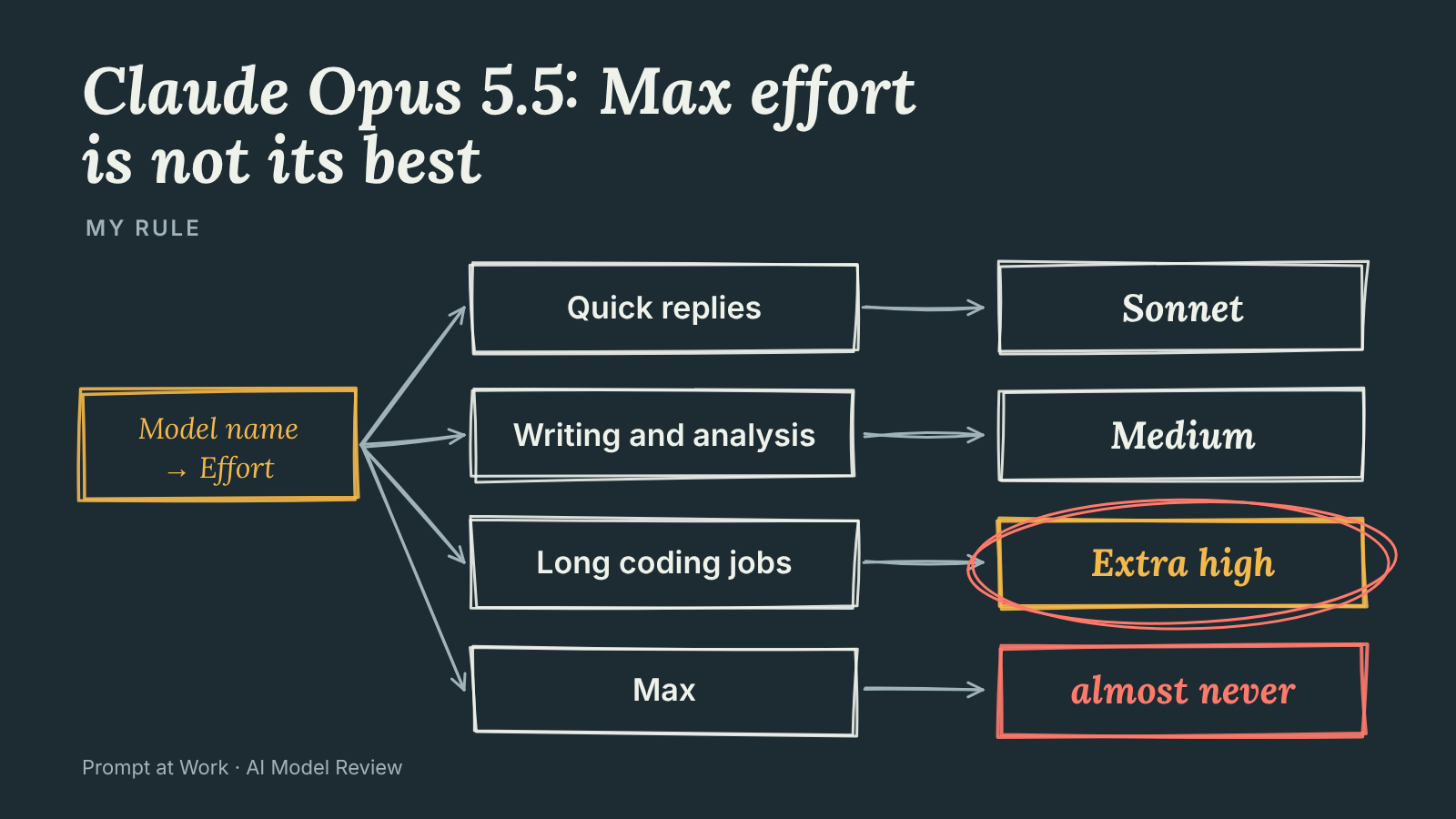
My rule: Medium for writing and analysis, Extra high for long coding jobs, Max almost never.
Security questions can quietly move to Opus 4.8
Opus 5.5 runs safety classifiers on each request. When one flags cybersecurity work, the chat carries on with the older Opus 4.8 instead of refusing, and a small "Switched to" notice appears. One developer doing routine defensive threat-intelligence work logged 18 of these switches in three days.
The check reads the whole conversation, including files attached earlier. Asking it to print its full reasoning is also flagged; ask for a short summary of its approach instead.
The setting most people never open: Settings, Capabilities, then turn off Switch models when a message is flagged. You get a paused card with choices instead of a silent swap. In Claude Code, the same switch is under /config. If you teach or practise security, I'd turn it off today: knowing which model answered matters more than an unbroken chat.
Thinking stays on, even for a two-line reply
You can't switch thinking off on Opus 5.5, in the app or the API. Effort is the only dial. For quick rewrites and short emails that's wasted time and usage, which is why I'd keep Sonnet in the model menu for small jobs.
Usage reports on Reddit split sharply. One r/Anthropic user says Extra high burns their weekly cap within a day; another reports little drawdown over several coding sessions. Neither gives checkable numbers, but effort level is the likeliest difference.
Fast mode exists, but only behind extra usage
In Claude Code, /fast runs the same model at up to 2.5 times the speed. It needs extra usage switched on and bills at double the token rate, so keep it for work you watch live, not long unattended runs.
Where Opus 5.5 earns its place: reports, long files, charts
Office work. On GDPval-AA, which scores real knowledge-work tasks, Opus 5.5 rates 1,846, ahead of Fable 5.1 at 1,735. It also puts the key point first and uses less jargon, which helps when its drafts go into client emails.
Long files. The context window is 1M tokens, roughly 7.5 lakh English words, so a full policy manual plus its annexures fits in one chat.
Charts and screenshots. Anthropic says it reads dense charts, diagrams and screenshots more precisely without extra tools. If your slides are full of tables, you'll notice this first.
Five facts before you open the model menu
- Plans: Pro, Max and Team. Free accounts don't get Opus 5.5.
- Price: Pro is reported at ₹2,000 a month billed yearly, GST included; the API is $4 in and $20 out per million tokens.
- API name: claude-opus-5-5, also on AWS, Google Cloud and Microsoft Foundry.
- Privacy: on Free, Pro and Max, Settings, Privacy, Help improve Claude decides training. On, chats can be kept up to five years; off, the usual 30 days.
- Output: up to 128K tokens in one reply.
Pick it, or skip it
- Pick it for long documents, reports built from messy files, and multi-hour coding jobs at Extra high.
- Skip it for quick replies and high-volume small tasks; Sonnet does those without the forced thinking.
- Be careful if your work touches security, and switch off automatic model switching first.
Comments
Comments are reviewed before they appear publicly.